
If you've ever sent a LinkedIn message and then completely forgotten to follow up — you're not disorganised. You just don't have the right system yet.
Most CRM tools weren't built for you. They were built for sales teams with dedicated ops managers, onboarding budgets, and workflows that look nothing like yours. As a founder or a one-person team, you end up either paying for features you'll never touch, or going back to a messy spreadsheet that you quietly stop updating after week two.
There's a simpler way. And it takes one afternoon to set up.
What Will You Get?
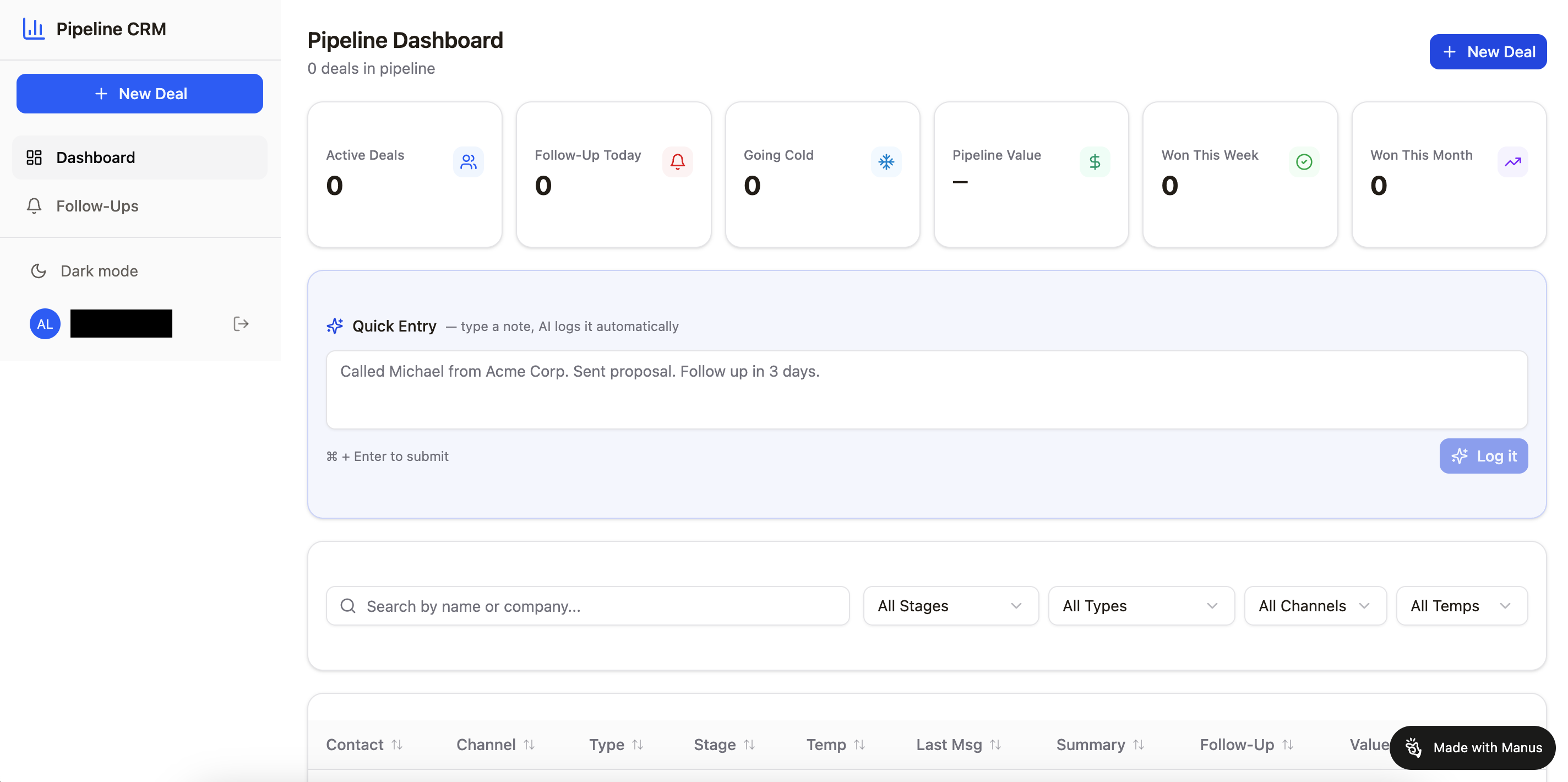
At the end of this exercise, you'll get a simple out of the box CRM tool that's free.
Manus is an AI agent. The difference between Manus and tools like ChatGPT is that Manus doesn't just answer questions — it actually builds things for you. You give it a clear brief, it gets to work, and you come back to a finished, deployed app with a live link.
No code. No developer. No waiting.
Note: You can use my referral link here to sign up for a Manus account. We both get 500 extra credits.
What a Simple LinkedIn CRM Actually Needs
You don't need a 47-field database. You need to know three things at any given moment: who you've spoken to, where the conversation is at, and what you need to do next.
Here's what I track for each contact:
- Name, LinkedIn URL, company and role
- What I'm hoping to get from the relationship — a sale, a partnership, or a hire
- How we connected (did they comment on a post? cold connection? referral?)
- Where they sit in the pipeline — Connected, Talking, Meeting Booked, Proposal, Won, or Not Now
- What I did last, and what I need to do next — with a due date
- A notes field for anything else that matters
That's it. Simple, honest, and actually usable.
The Prompt to Build It (Copy This into Manus)
Build me a web CRM app to track my LinkedIn outreach. I need a Pipeline tab where I can add contacts with fields for: name, LinkedIn URL, company, role, my goal (Sales / Partnership / Hire), how we connected, current stage (Connected / Conversation Started / Meeting Booked / Proposal Sent / Won / Not Now), last action, next action and due date, and notes.
Include an Analytics tab that auto-calculates: total contacts, active pipeline count, conversion rate, and overdue follow-ups. Add a Source Tracker tab so I can log how each lead came in and see which types of outreach convert best. Add a Weekly Review tab with a daily checklist formatted as a habit tracker with colour-coded streaks.
Password protected, mobile-friendly, deployed to a live URL.
Manus will handle the rest.
Why This Beats a Spreadsheet
A spreadsheet is a great place for data. It's a terrible place for a system.
The difference with a purpose-built CRM — even a simple one — is that it's designed around how you actually work. Your stages, your goals, your follow-up rhythm. Every time you update a contact, your analytics update automatically. You can see at a glance where things are moving and where they've gone quiet.
And if you want to add something later — a deal value column, an email reminder for overdue follow-ups, a notes export — you just tell Manus what you need and it updates the app. It grows with you.
One Thing to Do Before You Open Manus
Take five minutes and write down your actual pipeline stages. Not the generic ones — yours. What does it look like from first connection to closed deal in your world?
Getting that clarity first means the app Manus builds will actually reflect how you work, not a template someone else designed.
The Honest Truth
You don't need a more powerful CRM. You need one that you'll actually open every day.
The best system is the one that fits how you think, tracks what you care about, and takes less time to maintain than the outreach itself. That's what this is. And now you can build it yourself.